Accessing a control in code behind ends with „NullReferenceException“.
For a small dialog in one of my applications, I did not want to create an extra view model, so I implemented the logic directly in the code behind. However, while trying to access the controls, I got a „NullReferenceExeption“.
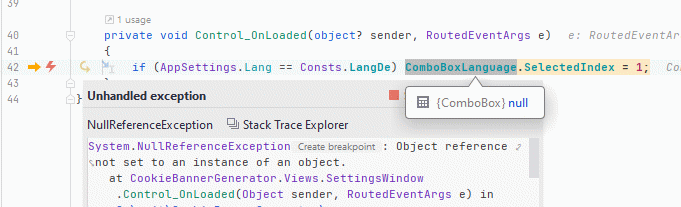
I tried two different methods to set the same for control in the Xaml code. No success.

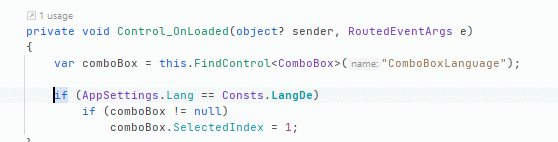
The solution in the end was to use the „FindControl“ method:
var comboBox = this.FindControl("ComboBoxLanguage");